Published 6/2026
MP4 | Video: h264, 1920×1080 | Audio: AAC, 44.1 KHz, 2 Ch
Language: English | Duration: 3h 42m | Size: 3.56 GB
Create high quality game assets for any game engine using Blender 5.
What you’ll learn
3 ways to create game ready models
Step by step process of creating each model
Sculpt high quality models
Retopology
UV unwrapping
Bake textures from high poly meshes
Properly set up PBR materials
Create LOD’s for your assets
Export assets to game engines
Requirements
An intermediate knowledge of Blender
Description
A game asset focused course using Blender 5!
In this course, I’ll show you 3 methods for creating game assets in Blender. Not every model needs the attention to detail like a character model would need. I’ve worked on many projects and over the years have found several ways to create assets using different methods. If you are someone who is developing games with a small team or the honorable solo dev, it’s nice to have a few tools in your bag to get the job done how you see fit. I’ll explain each method in detail and the purpose behind each one.
By the end of the course you’ll learn
– High-poly to low-poly workflow
– Low-poly to high-poly workflow
– Smart materials
– Sculpting
– Retopology
– Baking textures
– LODs
– UV Unwrapping
– Exporting to game engines
– Extra lecture (3D Coat workflow)
– And more
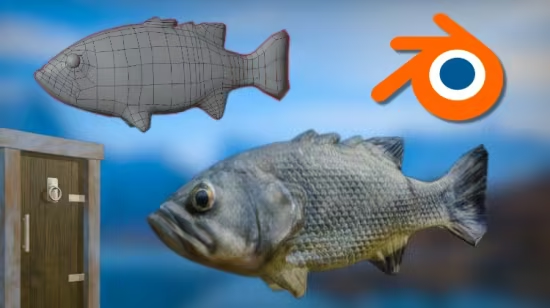
We will be modeling and sculpting a fish to learn the first method. For the second method, we will be creating a base mesh of a barrel and sculpting details afterwards. In the final method we will take on a medieval door without sculpting any details and relying on the PBR materials.
We will be creating 3 models during this course, and I hope to see you in class!
Who this course is for
Intermediate Blender users that want to create assets for their game. This course is not recommended to brand new users of Blender. I do explain the processes behind what I’m doing, but if you just learning the interface this course may not match your needs.
Password/解压密码www.tbtos.com
转载请注明:0daytown » 3 Methods for Creating Game Assets in Blender 5