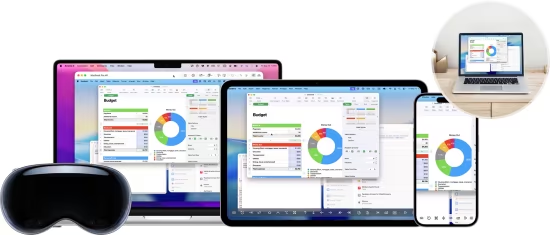
一款专为macOS、iOS和Vision Pro设计的专业远程桌面控制软件。它允许用户通过直观界面无缝连接并操作远程电脑(Mac、Windows、Linux),支持文件传输、多显示器管理和安全连接,是远程办公与访问的强大工具。
File Size: 38.9 MB
Effortlessly control your computer from your Mac with ease. Screens allows you to connect and control your computer as if you were sitting right in front of it, making tasks effortless with intuitive controls.
Flexible Connectivity
Connect to Your Computers, Your Way
Screens offers seamless remote access across Macs, Linux, Raspberry Pi, and Windows PCs, giving you the freedom to connect however you need.
With Screens Connect, our free utility for Mac and Windows, you can securely access your computers from anywhere in the world—no complex setup required.
Easily connect to computers detected on your local network or create custom connections for even greater flexibility and control, tailored to your specific needs.
Strong Security
Protect Your Remote Connections with Advanced Encryption
Screens prioritizes your privacy with strong, end-to-end encryption, ensuring your remote sessions remain secure and private.
With built-in SSH tunneling, your connection is fully encrypted, safeguarding your data from unauthorized access—even on untrusted networks. Whether you’re working from home, the office, or on the go, you can confidently connect back to your computer knowing your information is protected.
Screens also supports custom SSH keys, allowing for an additional layer of authentication, and ensures seamless, secure access across all your Apple devices.
Powerful Gestures
Effortless Control at Your Fingertips
Screens seamlessly integrates with a wide range of familiar gestures, giving you the flexibility to switch between Touch Mode and Trackpad Mode for the most natural remote experience.
Whether you’re editing a spreadsheet from home, managing a server across continents, or helping a family member troubleshoot their computer from miles away, Screens makes remote access intuitive, responsive, and effortless—just like using your device in person.
Curtain Mode
Privacy When You Need It
Curtain Mode discreetly blacks out the display on remote Macs, ensuring your activity remains private. Whether you’re working on sensitive tasks, managing a computer in a shared space, or simply prefer not to share your screen, Curtain Mode keeps your session confidential while maintaining full control.
Pointing Devices & Keyboards
Turn Your iPad into a Powerful Workstation
Screens fully supports hardware keyboards and pointing devices, including mice, trackpads, and the Magic Keyboard, giving you the precision and control of a desktop experience on your iPad. Whether you’re navigating complex workflows or performing fine-tuned actions, Screens brings a responsive, seamless computing experience to your fingertips.
* Scrolling functionality requires a Magic Trackpad 2, Magic Mouse 2, or Magic Keyboard.
Session Selection
Join In or Work Privately—Your Choice
When connecting to a remote Mac with an active user session, Screens gives you the flexibility to request to share their screen or start a new background session of your own. Whether you’re collaborating with someone or need a private workspace, you’re always in control of how you connect.
File Transfers
Move Files with Ease
Need to send or retrieve a file from your remote Mac? Screens makes it effortless—just drag and drop from your Mac, iPhone, iPad, or Vision Pro for a fast, intuitive transfer experience. Whether you’re accessing important documents or sharing files, Screens keeps the process simple and your workflow uninterrupted.
Remote Assistance Made Simple
Help Family, Friends, and Clients with Ease
Screens Assist is the perfect solution for remotely troubleshooting a family member’s, friend’s, or client’s Mac. Just download and run the free utility on the Mac you need to control, then connect via Screens—no complex setup required. Helping others has never been this straightforward!
And so much more!
Download rapidgator
https://rg.to/file/19f8418b42d7dde96984f8523229cb6f/Screens_5.8.1_%5BEDiSO%5D.rar.html
Download nitroflare
https://nitroflare.com/view/266499B11F6B88B/Screens_5.8.1__EDiSO_.rar
Download 百度网盘
链接: https://pan.baidu.com/s/1M_3ziBySs4Mqjr5JwuoLfQ?pwd=nbus 提取码: nbus
转载请注明:0daytown » Screens 5.8.1 MacOS