Published 2/2026
Created by Navid Abbas Zadeh
MP4 | Video: h264, 1920×1080 | Audio: AAC, 44.1 KHz, 2 Ch
Level: All Levels | Genre: eLearning | Language: English | Duration: 8 Lectures ( 2h 1m ) | Size: 4.32 GB
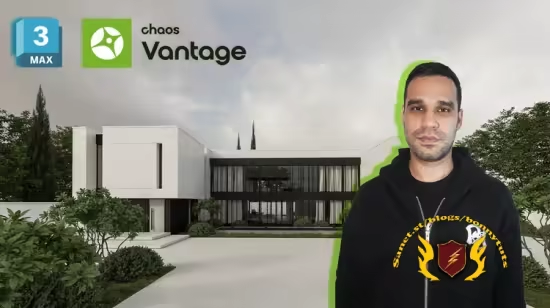
Real-time 3D animation with Chaos Vantage and 3ds Max
What you’ll learn
✓ Learn how to export 3D scene from 3ds Max to Chaos Vantage for real-time rendering
✓ Set up basic and advanced HDRI lighting in Chaos Vantage for architectural visualization
✓ Understand a realistic material workflow using V-Ray Material Editor
✓ Create high-quality V-Ray materials with realistic reflection , roughness and texture
✓ Design photorealistic outdoor scenes using V-Ray objects and assets
✓ Create realistic grass and vegetation using V-Ray Scatter
✓ Build complete architectural scenes with optimized geometry and materials
✓ Produce photorealistic lighting and final renders in Chaos Vantage
✓ Use Chaos Vantage real-time rendering features for faster look development
✓ Export high-quality animations from Chaos Vantage with correct settings
✓ Master the complete animation output workflow in V-Ray / Chaos Vantage
✓ Edit and enhance architectural animations using CapCut
✓ Create a full architectural animation pipeline from 3ds Max to final video
Requirements
● Basic knowledge of 3dmax and chaos vantage
Description
This course contains the use of artificial intelligence.
Note
This course helps you create a photorealistic exterior scene and animation, from exporting your project to Chaos Vantage to final real-time renders and animation output, all through a project-based workflow.
• Do you want to export your 3ds Max scenes to Chaos Vantage for real-time rendering ?
• Do you want to create realistic materials, lighting, and outdoor environments using V-Ray ?
• Do you want to produce high-quality architectural animations and edit them into a final video ?
This course will guide you through a complete architectural visualization workflow using 3ds Max, V-Ray, and Chaos Vantage. You’ll learn how to export scenes to Chaos Vantage, set up HDRI lighting, create realistic V-Ray materials, and design outdoor scenes with grass and assets using V-Ray Scatter. You’ll also learn how to create photorealistic lighting and final renders in Chaos Vantage, export real-time animations, and complete your project with professional video editing in CapCut.
Headlines
• You will learn how to export 3ds Max projects to Chaos Vantage and set up basic HDRI lighting.
• You will learn how to create realistic V-Ray materials and design outdoor scenes using V-Ray objects and Scatter.
• Learn how to produce photorealistic renders and animations in Chaos Vantage, and complete your architectural animation with CapCut post-production.
After completing this course, you will be able to ask me any questions related to the material, and I will provide you with answers in the shortest time possible.
Password/解压密码www.tbtos.com
转载请注明:0daytown » 3D Animation- Chaos Vantage and Autodesk 3Dsmax- from zero