Published 2/2026
Created by The Unreal Hyrax
MP4 | Video: h264, 1920×1080 | Audio: AAC, 44.1 KHz, 2 Ch
Level: All Levels | Genre: eLearning | Language: English | Duration: 85 Lectures ( 5h 29m ) | Size: 5.55 GB
Make your Own Cinematics and Gameplay Animations inside Unreal Engine
What you’ll learn
✓ Creating Control Rigs for Characters
✓ Adjusting Facial Expressions, Poses and stuff like Additive hair movement
✓ Creating Animations from Scratch for use in Any Gameplay Setting
✓ IK Retargeting Animations from one Character to another characrer
✓ Use of the Unreal Sequencer
✓ Layer animations and rigs together to create Animations and Cinematics Faster
✓ Rendering out Cinematics and turning them into Videofiles that can be shared on places like Youtube/Steam
✓ Creating an Animation and Character blueprint from scratch with Custom made animations made in Unreal Engine
✓ Organizing Graphs and categorization to make development easier
Requirements
● Basic understanding of how to Navigate the Unreal Edtior and move objects around in the world
● Having Unreal Engine Installed
● Unreal Engine 5.6 or later is recommended but Unreal Engine 5.5 can be used
Description
Unreal Engine: Control Rig For Cinematics and Game Animation
Is a course targeting small creators and teams by showcasing a solo friendly way of Creating animations and cinematics using the Unreal Engine.
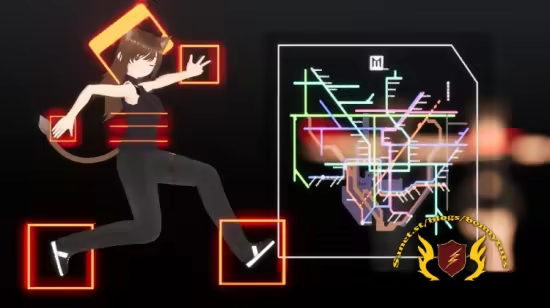
In this course, we will be making a Control rig for the included Character “Asuki”
We’ll be taking our fully rigged character and practice some animation basics such as Keyframing before we dive into creating game animations.
Then we’ll retarget some animations that we then will use in a Cinematic and to end it all off, we’ll be diving into creating a custom Animation and Character Blueprint from scratch using Unreal Engine’s built in Scripting Language.
This course teaches multiple skills that can be combined into one single pipeline making it ideal for Indie Developers and small teams wanting to create content completely solo or anyone really who wants experience using Unreal Engine 5 as a creation tool.
All Games needs some sort of trailer and 3D games generally need a whole lot of animation and thankfully Control rig makes that a breeze especially when you nail down the basics off it as it allows for a Drag/Drop/Animate/Render Approach.
What we will learn
1.Creating Forwards and Backwards solved ControlRigs
2.Sequencer Navigation, Anim Layers and Anim Baking
3. Creating basic Cinematics using sequencer
4. AnimationSequence Blending
5. IK Retargeting from Character to Character
6. Creating Character and Animation Blueprints and make a controllable and animated character
7. Rendering out Sequences and stich them together using Davinci Resolve”Free”
If you want to Create your own, very uniquely styled animations as a solo creator or small team, this course is for you!
Song: Warrior by Yoitrax
Password/解压密码www.tbtos.com
转载请注明:0daytown » Unreal Engine: Control Rig For Cinematics and Game Animation