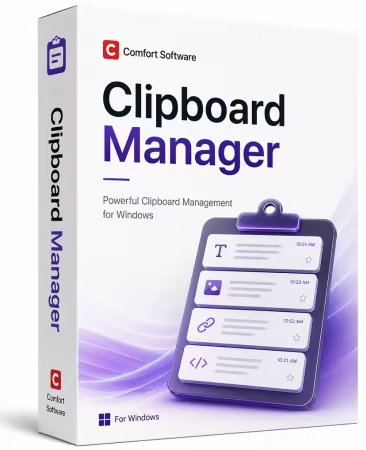
Comfort Clipboard Pro 9 是一款功能强大的 Windows 剪贴板管理工具。它能自动保存您复制的所有文本、图像和文件,支持无限存储历史记录,并采用一次性买断制(永久授权,无订阅费)。
File Size: 5.3 MB
Smarter clipboard. Faster workflow.
Never lose a copied item again. Clipboard Manager automatically saves your clipboard history, allowing you to instantly access copied text, images, files, and links. Stay organized, boost productivity, and work more efficiently with an intelligent clipboard solution for Windows.
History
This clipboard manager keeps the clipboard history that you can use to paste any saved fragment again.
Reliability
Now you don’t have to worry that copying one thing will erase something else! The clipboard contents will be saved, even in the case of a system crash or power failure.
Any Format
The manager supports all clipboard formats, including text, links, images, files, and all others.
Clipboard History
The following information is displayed for each saved fragment
Brief fragment contents: a text or an image.
The icon of the fragment’s format as defined in your system.
The icon of the application from which the fragment was copied to the clipboard.
Additional brief information for each fragment according to its format.
The list of all formats in which the fragment can be used.
Preview area.
Editing, Colors, and Hotkeys
You can edit any text fragment, set a hotkey for quick paste of the fragment, and set the fragment’s color in the list.
For added security, you can assign a display name for any fragment that hides its contents.
Drag and drop
You can drag any fragment from the clipboard manager to the input field.
No limits
Unlimited number of fragments stored in the clipboard history (by default, 500 fragments are saved).
Hide from prying eyes
You can protect your data with strong 448-bit Blowfish encryption so that nobody can access them without knowing your password.
Formats
All data are copied to the clipboard in several formats at once, so you can select the format you want to use.
Paste several fragments at once
You can select several fragments in the clipboard manager and paste them with one click.
Favorites
An ability to customize favorite clipboard fragments.
Toolbar
The program toolbar in the Windows taskbar.
Filtering
Ability to filter fragments in the clipboard manager.
Exceptions
Ability to specify applications in which the clipboard monitor will be disabled.
Sounds
Ability to assign sounds to program events.
System Requirements
Microsoft® Windows® 11 / 10 / 8.1 / 8 / 7 / Vista® / XP
Microsoft Windows Server® 2025 / 2022 / 2019 / 2016 / 2012 / 2008
Download rapidgator
https://rg.to/file/7d517daccf13630bd949d0feac1168ad/Comfort.Clipboard.Pro.9.6.2.0.rar.html
Download nitroflare
https://nitroflare.com/view/F4DE420733AD700/Comfort.Clipboard.Pro.9.6.2.0.rar
Download 百度网盘
链接: https://pan.baidu.com/s/1hibRwVyvjQuhhcG37ZuTBg?pwd=udnk 提取码: udnk