Published 3/2026
Created by Lukas Heising
MP4 | Video: h264, 1920×1080 | Audio: AAC, 44.1 KHz, 2 Ch
Level: Intermediate | Genre: eLearning | Language: English | Duration: 24 Lectures ( 5h 38m ) | Size: 9 GB
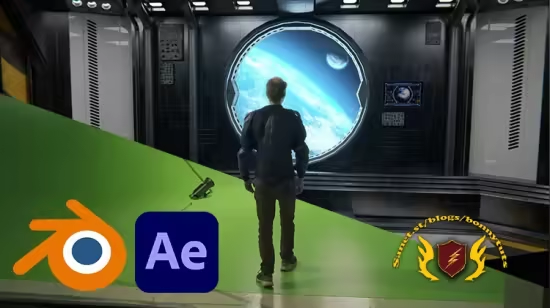
Learn Keying, Tracking, Modelling, Texturing and Lighting on a camera-moving SciFi-Shot in Blender and After Effects
What you’ll learn
✓ Integrating camera-moved greenscreen-footage into 3D-Scenes
✓ Different techniques for high-quality keying in After Effects
✓ Tracking complex shots and creating accurate 3D cameras in Blender
✓ Modeling, texturing, and lighting a VFX environment in Blender
Requirements
● Even though every step is explained, a basic knowledge of Blender and After Effects is recommended. For only a few lectures it is good to be at least an intemediate user.
Description
What if a simple green screen shot could turn into a cinematic moment that feels like it belongs in a movie or a game trailer?
In this course, you’ll learn how to take a real actor filmed in front of a green screen and place them into believable 3D worlds. Step by step, you’ll go through a VFX workflow.
You’ll combine the power of Blender and After Effects. You’ll track complex camera movements, build and light atmospheric 3D environments, and seamlessly integrate live-action footage so everything feels like it was captured in one real moment.
Whether you’re creating content for YouTube, short films, passion projects, or simply want to push your creative limits, this course gives you the tools to turn ideas in your head into powerful images on screen. Close to real-world practice we complete a full shot from start to finish. Removing the greenscreen, tracking the camera and recreate its movement in the 3D-Scene, creating each individual model, texturing it and set up the lights in the scene.
Course updates & final compositing
The course currently covers the core techniques needed to build and stage a cinematic greenscreen-to-3D shot. Advanced compositing chapters — focusing on final integration, polish, and cinematic finishing touches — are planned as upcoming updates and will be added at no extra cost. By enrolling now, you’ll gain access to all future content as it’s released.
You don’t need a huge studio, a massive budget, or a full team. With the right workflow and creative approach, you can create epic visuals on your own — and this course shows you exactly how.
By the end, you won’t just understand the process. You’ll have created a cinematic VFX shot you can be proud of — and the confidence to create many more.
Of course you will get the raw-Shot, to follow along!
My name is Lukas. I’ve been making films for 13 years. I’ve worked as an Art director in several indie production companies and media agencies. I love making films, even if they’re on a tight budget. Over the years, I’ve learned how to use affordable software to create films that look just as professional as those made by big studios. I’d be happy to share my experience with you.
Password/解压密码www.tbtos.com
转载请注明:0daytown » VFX Environments | From Greenscreen to complete 3D-Scene