Published 1/2026
Created by Ines Benalaya
MP4 | Video: h264, 1920×1080 | Audio: AAC, 44.1 KHz, 2 Ch
Level: Intermediate | Genre: eLearning | Language: English | Duration: 13 Lectures ( 2h 44m ) | Size: 3 GB
Master Embedded Linux, STM32, and Raspberry Pi kernel development using a professional WSL2 workflow on Windows
What you’ll learn
✓ Build a professional embedded development environment using WSL2 on Windows, integrating Ubuntu and VSCode for a seamless Linux-based workflow
✓ Master the STM32 development toolchain by configuring cross-compilation tools and enabling USB passthrough for hardware debugging directly from WSL2
✓ Perform Linux Kernel development on Raspberry Pi 4, including kernel compilation and custom driver interaction through LED triggers
✓ Compare and select appropriate development environments by understanding the performance trade-offs between WSL2, Virtual Machines, and Dual-Booting
Requirements
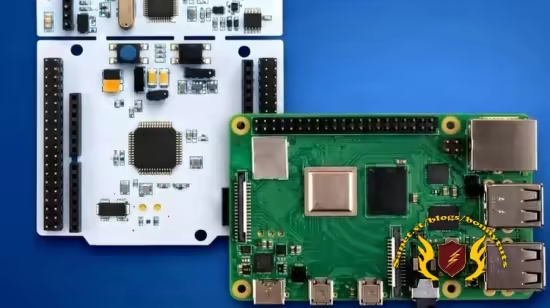
● A basic understanding of C programming and familiarity with the Linux command line. Hardware: An STM32F446RE Nucleo-64 board and a Raspberry Pi 4 Model B. System: A laptop or PC running Windows 10 or 11
Description
Master Professional Embedded Linux and STM32 Development Modern embedded development requires a powerful Linux environment, but many engineers are forced to choose between slow Virtual Machines or cumbersome dual-booting. In this course, you will learn to build a high-performance, professional workflow using WSL2 (Windows Subsystem for Linux). As an instructional team leveraging over 18 years of senior embedded software experience within international high-tech sectors, we guide you through the exact setup used in industry-leading firms to develop, compile, and debug software for ARM-based hardware directly from your Windows 10 or 11 laptop.
From Bare-Metal STM32 to Raspberry Pi Kernel Modules Our journey begins with the STM32F446RE Nucleo board. You will master the installation of cross-compilation toolchains within Ubuntu/WSL2 and learn the critical “USB Passthrough” technique to connect your ST-LINK debugger directly to the Linux environment. Once we have mastered bare-metal workflows, we transition to the Raspberry Pi 4. Here, you will dive into the heart of the system: the Linux Kernel. You will learn how to download, configure, and compile a custom kernel, followed by creating your own LED triggers to control physical hardware.
Industry-Standard Tools and Techniques By the end of this course, you will have a deep understanding of the ARM architecture, toolchain management, and the Linux driver model. You will be able to use VSCode as a unified interface for both your code and your hardware debugging. This isn’t just a tutorial; it is a professional blueprint for any aspiring Embedded Linux Developer or experienced engineer looking to modernize their environment without sacrificing the productivity of the Windows ecosystem. We focus on practical, hands-on learning that translates directly to professional high-tech requirements.
 Password/解压密码www.tbtos.com